Support Page Content
FWS Student Employee Process
Getting Started with FWS
To participate in the Federal Work Study (FWS) program:
- Submit your Free Application for Federal Student Aid (FAFSA).
- Review your Award Notification once your financial aid eligibility is processed.
- Check your My Sac State Student Center to confirm if you’ve been awarded FWS.
When applying and interviewing for FWS positions:
- Be prepared to show proof of your FWS award to potential employers
- Keep your employer informed of any changes to your FWS award (reduction or cancellations) via a Revised Award Notification(s)
- Monitor your school email for financial aid updates.
Not awarded FWS?
- Submit a Student Change-in-Aid (e-Form) to be considered.
- Be sure to review the FWS Student Employee Hiring Instructions for step-by-step guidance
Your FWS Award
- Typical award: $6,000 for the academic year (or $3,000 per semester)
- You should keep track of your FWS earnings
- Work with your supervisor to avoid exceeding your awarded amount
Hours & Pay
- You may work up to 20 hours per week during the semester
- You may work up to 40 hours per week during breaks (refer to FWS Dates & Deadlines)
- Pay rates typically range from $16.90 - $24.50 per hour, depending on the role, responsibilities, and required skill set
Work Expectations
As a student employee, you are expected to:
- Showing up on time
- Complete assigned task responsibly
- Maintain professional communication with your supervisor
Performance concerns (such as absenteeism or not meeting expectations) will be addressed according to university and department policies.
Required Training
You will be automatically assigned the required training through CSU Learn (Sac State’s online platform)
Important details:
- Access is available about one week after hire
- Notifications are sent to our Sac State account, or you can access them through My Sac State
- Trainings must be completed within your first month of hire at Sac State
- Trainings should be completed during your paid work hours
Maintaining Eligibility
To continue participating in FWS, you must:
- Be enrolled at least half-time
- Undergraduate: 6 units
- Graduate: 4 units
- Meet Satisfactory Academic Progress (SAP) standards (or probation conditions, if applicable)
- Be admitted into degree-granting program
- Demonstrate financial need
Timesheets & Payroll
- Report your hours daily via My Sac State Employee Center (CHRS System)
- Use “Report Hours Worked” to log in time
Enter Your Hourly Time Worked: Instructional Video
Important Reminders:
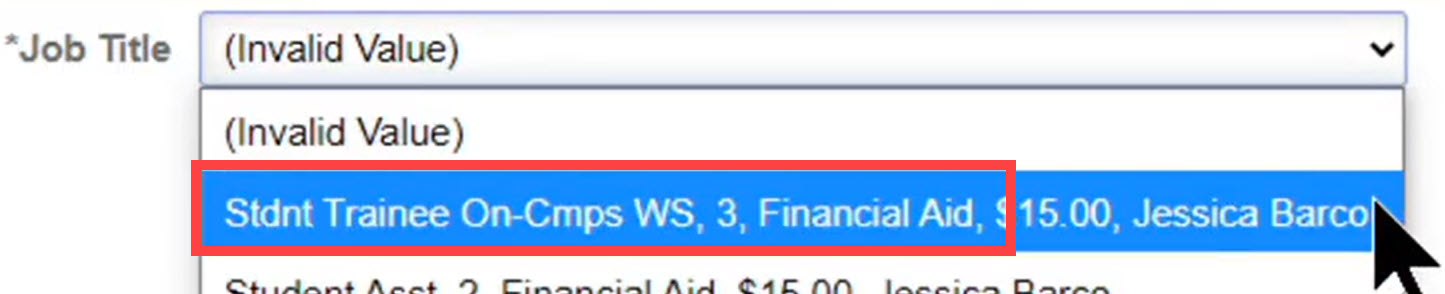
- Select the correct WS (FWS) job title if you have multiple positions
- Review
- Partial Hours Conversion Chart
- Confirm the hours entered for Payable Time
- Follow payroll reporting deadlines to ensure timely payment each month
Changing or Leaving an FWS Job
Changing FWS Jobs
- You can only work one FWS job at a time
- You must stop working at your current position (example Employer A) before starting a new one (example Employer B)
- Your total FWS award does not reset when switching jobs
Example:
- Total FWS Award: $6,000
- Totals FWS earned with Employer A: $1,235
- Remaining balance of FWS earnings: $4,765 (available with Employer B)
Be sure to inform your new employer about your previous FWS job. They may verify your remaining balance with the FWS Program.
Leaving a Position
Please follow professional standards by providing your supervisor with at least a two-week notice
Returning FWS Students
To continue next academic year:
- Complete your financial aid file
- Be awarded FWS again
Eligibility is reviewed after spring grades are posted and may depend on:
- SAP status
- Overall aid eligibility
Student Employment Resources
FWS Program
Financial Aid & Programs Office
Division of Enrollment Management
- FWS Email: sacstatefws@csus.edu
Student Employment HR Office
Department of Human Resources
Division of People and Climate
- SEO Email: hr-studentemployment@csus.edu
- Website: Student Employment
Career Center
Student Life
- Website: Career Center
- Job Board for FWS: Handshake
- Handshake Information